Protect wake windows
Use actual nap and wake times so later naps and bedtime are based on the babies' real sleep, not the schedule you hoped would happen.
Twin nap chaos and short naps
One baby naps for 27 minutes. The other is still asleep. Or one skips the nap completely. Suddenly bedtime, the next wake window, and your only break all feel impossible.
The pain point
With twins, a short or skipped nap is not an isolated event. It changes the next wake window, puts pressure on bedtime, and may make a shared schedule unrealistic for the rest of the day.
Parents often try to do the math themselves: wake one baby, split the difference, move bedtime earlier, rescue a nap, or let the babies run separate schedules. SleepyTwins gives that decision a calmer structure.
How the app helps
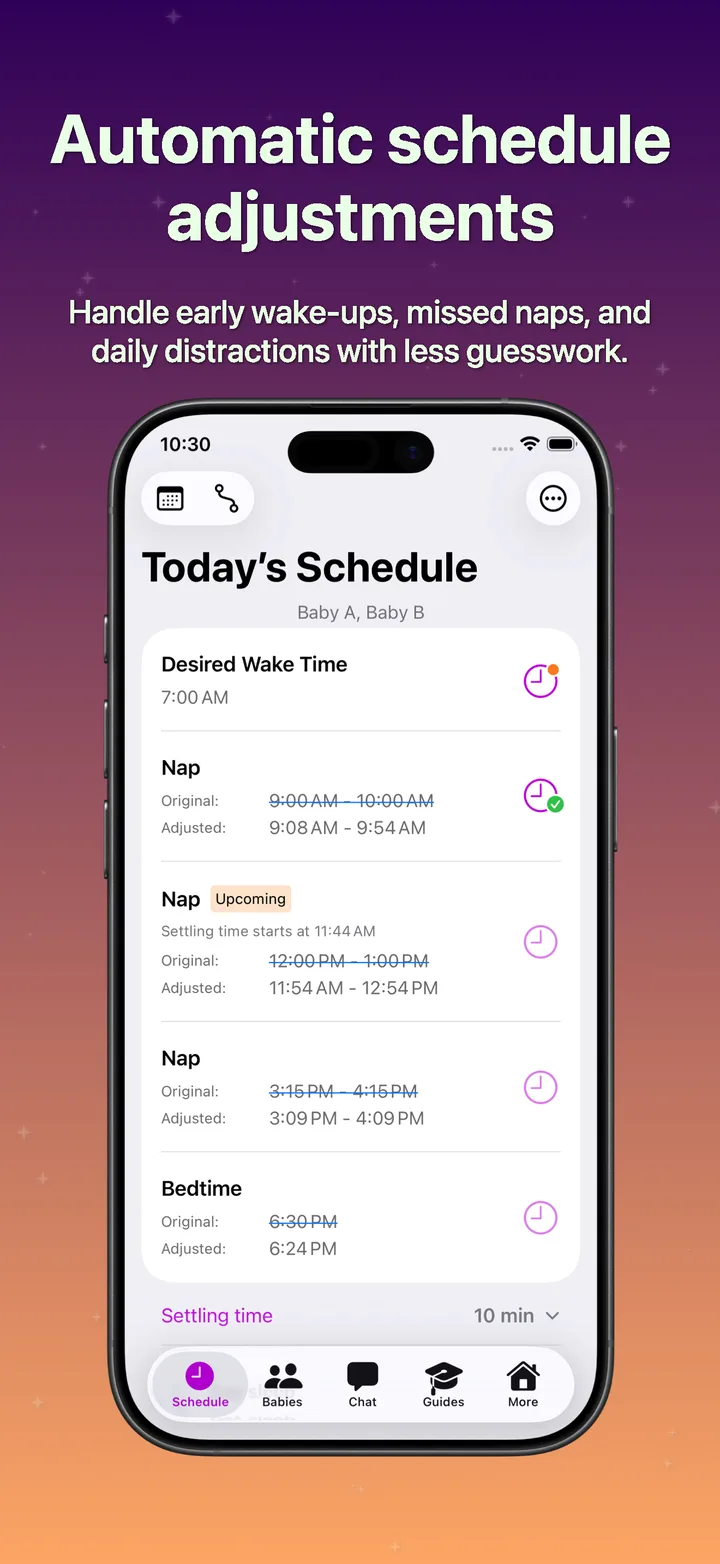
Log what actually happened, and the app helps adjust the rest of today around wake windows. If one baby needs a different path, SleepyTwins can help keep that temporary instead of rebuilding the whole plan.
Use actual nap and wake times so later naps and bedtime are based on the babies' real sleep, not the schedule you hoped would happen.
When one baby misses a nap or wakes much earlier, the app can support a temporary separate path for the rest of the day.
Day Care Mode helps when naps happen at care, outside your usual home timing, or not at all.
A steadier next step
SleepyTwins helps parents recover today's timing, protect better night sleep, and avoid turning one rough nap into a permanent schedule change.
FAQ
Yes. The app can help recover the day when one baby needs different timing after a short or missed nap.
Not necessarily. SleepyTwins helps treat rough naps as day-level disruptions first, while still watching for repeated patterns.
Yes. Day Care Mode helps account for outside-care nap timing and its effect on the rest of the day.
Download SleepyTwins on iPhone to follow the schedule, log what actually happened, and adjust the plan as your babies grow.