SleepyTwins app features
A plan for your multiples.
Room for real life.
Sleep schedules that grow with your children, adapt when naps go sideways, and keep everyone caring for them coordinated.
Compare Standard & PremiumFeatures below describe the iOS app.
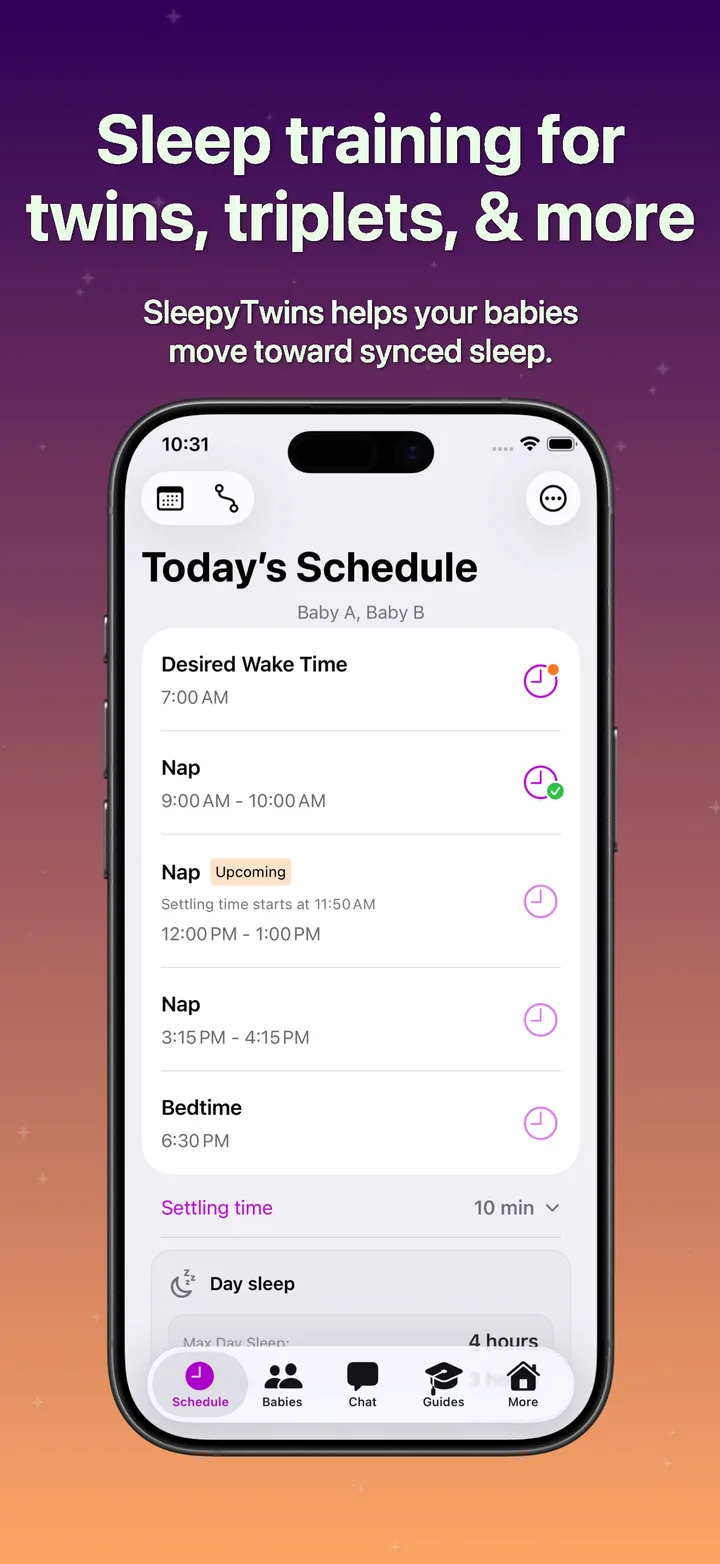
One shared routine. Each baby's own story.
Find what fits your family
Find the tools for your family’s day.
Standard includes the everyday planning, logging, and learning tools. Premium includes everything in Standard, plus guided schedule changes, Day Care Mode, AI conversations, and caregiver sharing.
Care for each child, together
Plan for twins, triplets, and siblings without treating every child the same.
| Feature | Standard | Premium |
|---|---|---|
| Manage your multiples in one placeCreate individual baby profiles during initial setup, with each child's age, care notes, and sleep records. | Included | Included |
| Follow shared or separate routinesKeep children on the same schedule, or give them different permanent routines as their needs diverge. | Included | Included |
| Account for premature birthUse adjusted age when choosing a starting schedule. Set up profiles early; recommendations begin at 16 weeks adjusted age. | Included | Included |
Build a daily sleep routine
Start with a practical plan and understand how the day fits together.
| Feature | Standard | Premium |
|---|---|---|
| Find a starting schedule that fitsChoose by adjusted age or match your existing wake windows, then preview naps and bedtime before deciding. | Included | Included |
| Make the routine your ownSet your preferred morning wake time, customize the schedule manually, and allow time for settling. | Included | Included |
| See the whole day at a glanceView wake time, naps, bedtime, and planned night feeds in one timeline. | Included | Included |
| Understand the timingSee planned wake windows, typical nap lengths, daytime sleep limits, and explanations of how event times are calculated. | Included | Included |
Recover from a difficult nap day
Respond to what actually happened without losing the regular routine.
| Feature | Standard | Premium |
|---|---|---|
| Adjust the day after a short or missed napUse logged nap outcomes to revise later timings, with retry naps or an earlier bedtime when the schedule supports them. | Included | Included |
| Handle different naps for different babiesUse a shared recovery plan when everyone needs it, or temporarily split timings for just one child. | Included | Included |
| Keep today's changes temporaryMake today-only adjustments and return to the usual routine after the sleep day. | Included | Included |
Move to the next stage with guidance
Use Premium to turn the progression timeline into your family's next routine.
| Feature | Standard | Premium |
|---|---|---|
| Follow guided schedule progressionsChoose and apply the next step as sleep needs change, including nap transitions and toddler or no-nap routines. | Not included | Included |
| Plan when to make the changeStart a new step now or tomorrow, with reminders to give the current routine enough time before switching again. | Not included | Included |
| Review whether the routine is workingUse Schedule Check-In and its reminders to assess concerns with the Sleep Coach, with longer evaluation periods during major nap transitions. | Not included | Included |
Track sleep and spot patterns
Build a useful picture of each child's sleep, without relying on memory.
| Feature | Standard | Premium |
|---|---|---|
| Record the day and night for each childLog actual sleep and wake times, missed naps, wake-up mood, bedtime, night wakings, and night feeds. | Included | Included |
| Log multiples with less repeated workEnter events for several babies together while keeping their outcomes separate, and correct entries later. | Included | Included |
| Look back with contextBrowse records by date and add daily notes to explain disruptions or changes. | Included | Included |
| Compare sleep patterns over timeReview individual or multi-child statistics for 14, 30, or 90 days, or all history. See early-waking trends, wake-status charts, and overnight wake and feed summaries. | Included | Included |
Fit daycare into the family plan
Keep care-day timing and your home routine connected with Day Care Mode.
| Feature | Standard | Premium |
|---|---|---|
| Plan for regular or occasional daycareSet recurring weekdays or activate a single day, with custom care hours. | Not included | Included |
| Work around daycare napsSet nap count and optional nap times, then see the adjusted day while preserving your usual routine. | Not included | Included |
Keep overnight feeds organized
Put planned feeds in the same place as the rest of the sleep routine.
| Feature | Standard | Premium |
|---|---|---|
| Plan your family's overnight feedsInclude up to five scheduled feeds, with automatically generated timing or your own times and durations. | Included | Included |
| Get a reminder for planned feedsChoose whether to receive night-feed alerts and how much advance notice you need. | Included | Included |
Keep up with the day
See what is next and record what happened with fewer trips through the app.
| Feature | Standard | Premium |
|---|---|---|
| Know when to settle, wake, or logCustomize settling and nap-end reminders, and get prompted to record the previous event before the next sleep period. | Included | Included |
| See the next event without opening the appUse Home Screen widgets for the next sleep block or today's schedule, and Lock Screen countdowns. | Included | Included |
| Get to a sleep log quicklyUse Quick Log shortcuts or Start Nap and Woke Up controls, which open an entry with the current time ready for review. | Included | Included |
Talk through sleep challenges
Ask the AI Sleep Coach for help applying the SleepyTwins framework to your family.
| Feature | Standard | Premium |
|---|---|---|
| Get help with difficult naps and nightsDiscuss short naps, early mornings, bedtime, and schedule questions in an ongoing conversation you can revisit. | Not included | Included |
| Get guidance with the context you chooseLet the coach use adjusted ages, schedules, and logs, or use AI Privacy Mode to share only what you type. | Not included | Included |
| Put supported recommendations into practicePreview and apply guided schedule recommendations from the coach through the app. | Not included | Included |
Learn what to try and why
Read practical guidance for multiples at your own pace.
| Feature | Standard | Premium |
|---|---|---|
| Choose a sleep-training approachRead the eight-part Sleep Training for Multiples collection, including timed checks, pick up/put down, and the chair method. | Included | Included |
| Prepare for transitions and disruptionsFind guidance on short or skipped naps, dropping naps, regressions, daycare, travel, illness, teething, and toddler transitions, with age-based sample schedules. | Included | Included |
| Find answers as you goSearch the guides and table of contents, zoom illustrations and charts, and use the App Quick Start guide to learn the tools. | Included | Included |
Adjust to travel and clock changes
Keep sleep timing clear when the clocks around your family change.
| Feature | Standard | Premium |
|---|---|---|
| Take the routine into a new time zoneUse Travel Mode for schedules, reminders, and logging. Adopt destination clock time or preserve equivalent home/body-clock timing. | Included | Included |
| Plan for daylight saving changesPreview and choose direct or gradual schedule adjustments for upcoming clock changes. | Included | Included |
Make room for calmer days.
Start with a plan for your family. Explore Premium options and current pricing in the app.